Documentation
Welcome to the Whiskey documentation. This guide covers configuring, building and serving static sites with Whiskey.
Installation
If you haven't installed Whiskey yet, follow the installation steps in the Getting Started guide on the homepage.
Verify your installation:
whiskey --help
CLI Reference
Usage:
  whiskey [command]

Available Commands:
  build       Build a Whiskey site
  check       Inspect dependencies and incremental build status
  clean       Remove generated output and build artifacts
  serve       Build and serve a Whiskey site with live reload
  sync        Synchronize remote sources
  theme       Manage local themes
  version     Display version information
  help        Help about any command

Flags:
  -h, --help   Show help

Use "whiskey [command] --help" for more information about a command.
whiskey build
Build the site:
whiskey build
Options:
--full— Force a complete rebuild.--offline— Build using cached remote content only.
whiskey serve
Start the development server:
whiskey serve
Options:
-p, --port <number>— Serve on a custom port (default:8080).--offline— Serve using cached remote content only.
whiskey sync
Download or refresh all configured remote content:
whiskey sync
whiskey check
Inspect dependency information and incremental build status:
whiskey check
Configuration (whiskey.toml)
Every Whiskey site is configured using a whiskey.toml file in the project root.
Example:
title = "Whiskey"
description = "Dependency-aware static site generator"

base_url = "http://localhost:8080"

theme = "terminal"

favicon = "images/logo.png"

[[nav]]
title = "Blogs"
url = "/blog/"

[rss]
enabled = false
collections = [
    "blog"
]
Themes
Themes define the appearance of your site by providing layouts and static assets.
Whiskey currently ships with the following themes:
minimalterminalnoirpaper
Create a new theme:
whiskey theme new my-theme
Activate it by setting:
theme = "my-theme"
Layouts
Layouts define how pages are rendered.
A typical theme contains:
layouts/
├── base.html
├── page.html
├── post.html
└── partials/
    ├── head.html
    ├── header.html
    └── footer.html
Layouts can be overridden by placing matching files in your site's own layouts/ directory.
Assets
Static assets belong in the static/ directory.
Examples include:
- Images
- CSS
- JavaScript
- Fonts
- Downloads
During a build, these files are copied into the output directory.
Navigation
Whiskey automatically generates site navigation from your content.
Navigation includes:
- Public pages
- Collections
- Tags
- RSS (when enabled)
Templates can access navigation through:
<nav>
  {{ range .Site.Nav }}
  <a href="{{ .URL }}">{{ .Title }}</a>
  {{ end }}
</nav>
Collections & Tags
Collections group related pages together.
Example frontmatter:
title: My Blog Post
layout: post
draft: false
unlisted: false

collection: blog

tags:
  - release
  - news
Collections generate list pages such as:
/blog/
Tags generate individual tag pages together with a tag index:
/tags/
/tags/release/
/tags/news/
unlisted or hidden can be used to hide pages from explicity showing up on the site.
RSS & Sitemap
Whiskey can automatically generate RSS feeds and XML sitemaps.
Configure RSS in whiskey.toml:
[rss]
enabled = true
collections = [
    "blog"
]
Generated files:
dist/feed.xmldist/sitemap.xml
Includes
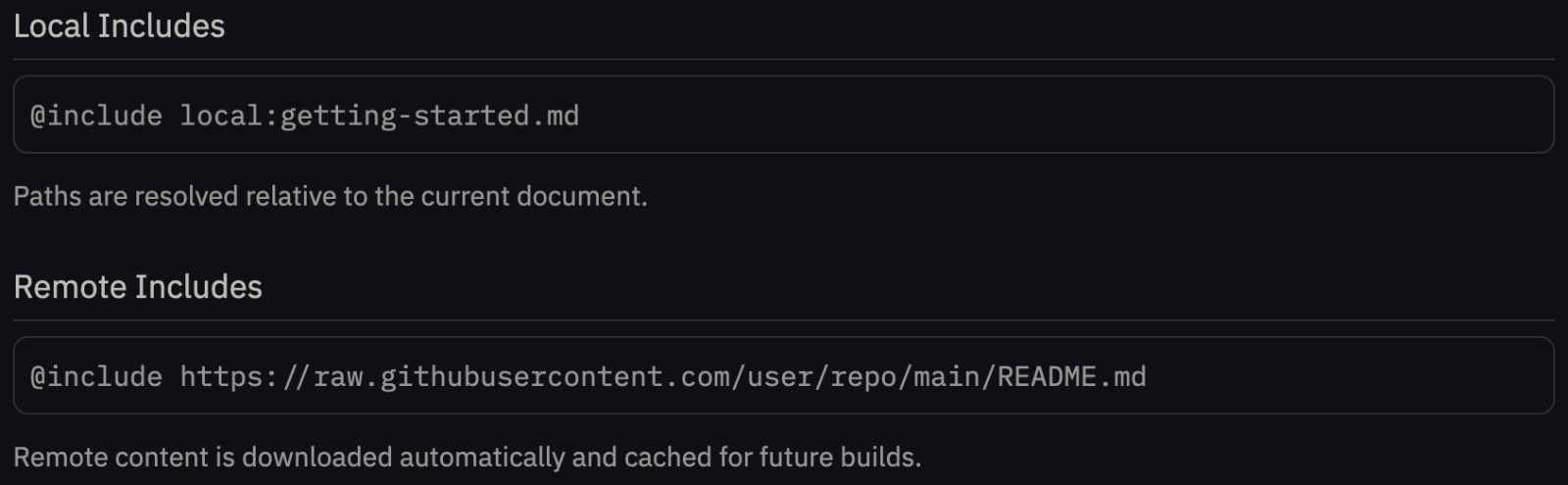
Whiskey can reuse content from local files or remote URLs. This is through @include command as shown below:
Shortcode
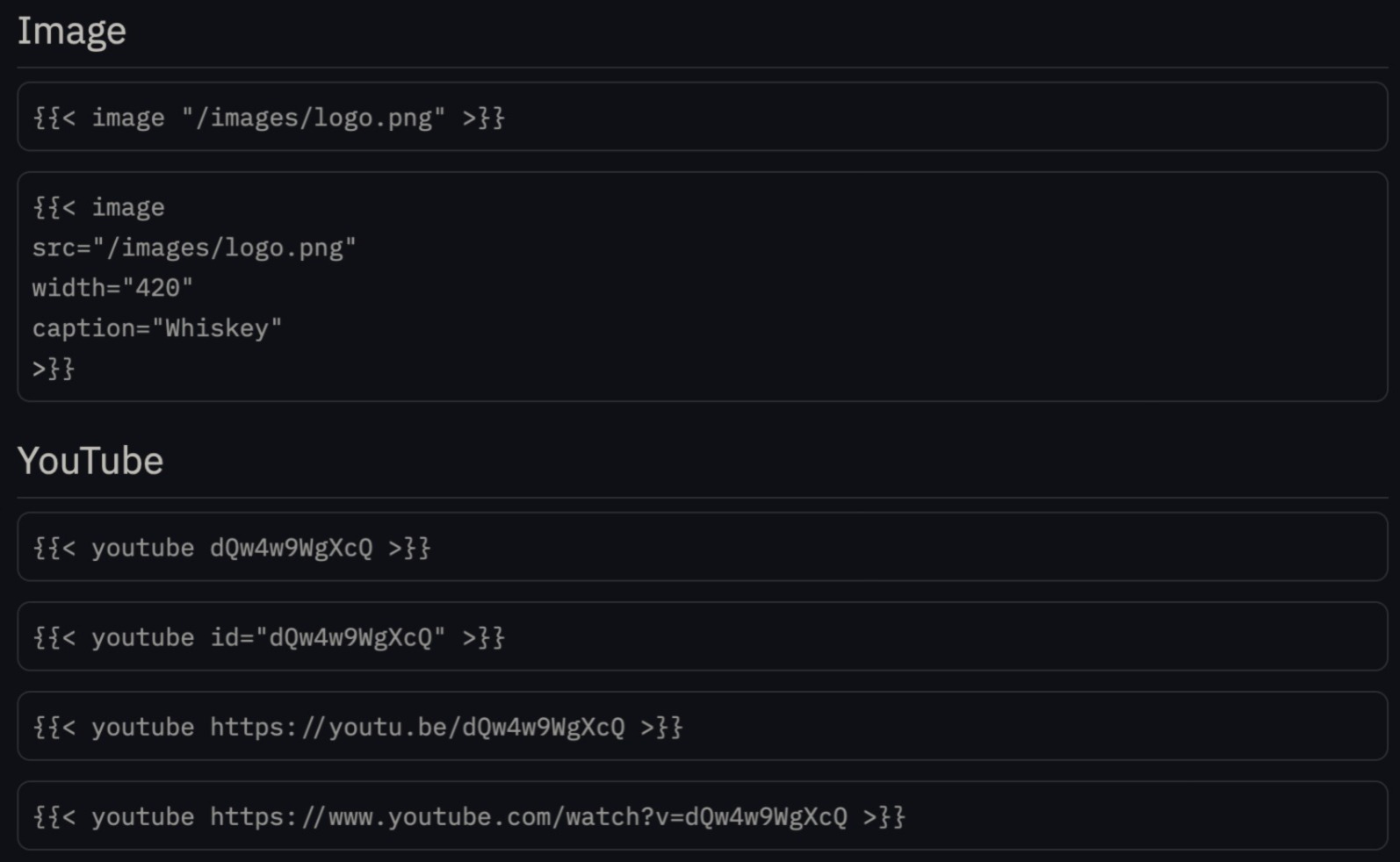
Shortcodes extend Markdown with reusable components that are expanded during rendering. The syntax is as follows:
Offline Mode
Offline mode uses cached remote content instead of making network requests.
Build offline:
whiskey build --offline
Serve offline:
whiskey serve --offline
Incremental Builds
Whiskey tracks dependencies between pages, layouts, assets and remote content.
When something changes, only the pages affected by that change are rebuilt.
Examples include:
- Editing a page
- Updating a layout
- Modifying a CSS file
- Changing a local include
- Refreshing remote content
If needed, you can always force a complete rebuild:
whiskey build --full
Deployment
If you wanna look at how to deploy using whiskey, click here.
Next Steps
Curious about how Whiskey works internally?
Head over to the Developer Guide for a deeper look at the dependency graph, incremental build planner, remote content system and build pipeline.